How to Reduce Administrative Burden in a Small Practice (Without Huge Costs)

How to Reduce Administrative Burden in a Small Practice (Without Huge Costs)
You didn’t start your practice to spend your days wrestling with insurance portals, deciphering denial codes, and chasing down payments. Yet, for many small specialty practices, the administrative reality is overwhelming. If it feels like you're spending more time on paperwork than with patients, you're not imagining it. Physicians now spend between one and two hours on administrative tasks for every hour of direct patient care, a crushing ratio for a small team.
The problem is, most advice on reducing this burden feels like it was written for a giant hospital system. "Implement a unified platform." "Overhaul your IT infrastructure." For a three-person cardiology clinic or a solo psychologist, this advice isn't just unhelpful; it's impossible.
You don't have an IT department. You don't have a six-figure budget for new software. And you definitely can't afford to shut down for a month to migrate systems. So, how can you reclaim your time and focus on patients?
Why Does Standard Advice Fail Small Practices?
Most articles about administrative efficiency miss the fundamental reality of a small practice. They recommend enterprise-level solutions that assume you have dedicated staff for billing, IT, and project management.
For you, the "project manager" is also the person a
nswering the phones and maybe even the lead clinician.
The advice to "buy an all-in-one system" ignores the massive disruption and cost this creates. Migrating years of patient data from your trusted Electronic Health Record (EHR) to a new, unproven platform is a high-risk, high-cost gamble that most small practices can't afford to take. You need solutions that work with what you already have, not ones that require you to start from scratch.
What Is "Admin Burden" Really Costing You?
Administrative tasks aren't just an annoyance; they are a significant financial drain. In fact, administrative complexity consumes nearly a third of total healthcare spending. For a small practice, this isn't an abstract statistic. It shows up in very real ways:
Time spent on prior authorizations: Hours on the phone with payers that could have been spent on billable patient encounters.
Revenue lost to denials: A single complex denial can mean hundreds or thousands of dollars in lost revenue that your practice simply doesn't have the bandwidth to appeal effectively.
Inefficient claims follow-up: Manually tracking every claim's status is a time-consuming task that often falls by the wayside, letting revenue slip through the cracks.
Clinician burnout: When physicians spend their evenings catching up on documentation and paperwork, the quality of care and their own well-being suffer. This has a direct, long-term cost on the practice.
The first step to solving the problem is seeing it not just as a hassle, but as a direct threat to your practice's financial health.
What Is a Realistic Path to Automation for a Small Clinic?
If a complete system overhaul is off the table, what’s the alternative? The answer is to be targeted. Instead of trying to fix everything at once, focus on the single biggest administrative bottleneck in your practice. For most small specialty clinics, this is the Revenue Cycle Management (RCM) process: billing, coding, claims submission, and denial management.
This is where modern, focused technology can make a huge impact without forcing you to change everything. For example, new technology is already making a difference in clinical documentation. Some AI-powered ambient documentation tools can save clinicians one to two hours per day.
That same focused approach can be applied to your billing. Instead of replacing your EHR, you can add a specialized tool that automates the most painful parts of the revenue cycle. This approach allows you to keep the systems you know and like while outsourcing the administrative busywork to intelligent software.
How Should You Evaluate a New Tool?
When you’re a small practice, choosing the right partner is critical. You can’t afford a long, expensive implementation or a tool that doesn’t deliver on its promises. As you evaluate solutions, especially for billing and RCM, ask these tough, practical questions:
Does it work with my current EHR? This is the most important question. Any solution that requires you to abandon your existing system is a non-starter. Look for partners that have experience integrating with the EHRs popular among small practices, like Kareo, AdvancedMD, or Practice Fusion.
What is the real implementation and training time? Ask for a concrete timeline. Is it a few hours of virtual training or a multi-week process? A solution designed for small practices should be quick to set up and intuitive to use.
How is it priced? Be wary of high flat-fee monthly subscriptions. A pricing model that is based on a percentage of the revenue they help you recover aligns the vendor's goals with your own. If you don't get paid, they don't get paid.
Can they show me how it works for my specialty? A generic demo isn't enough. Ask to see how the system handles the specific codes, payers, and denial patterns common in your specialty.
Your Next Step: Focus on the Biggest Fire
Reducing administrative burden can feel like an impossible task, but it doesn't have to be. The key is to resist the "all-in-one" fantasy and adopt a targeted strategy.
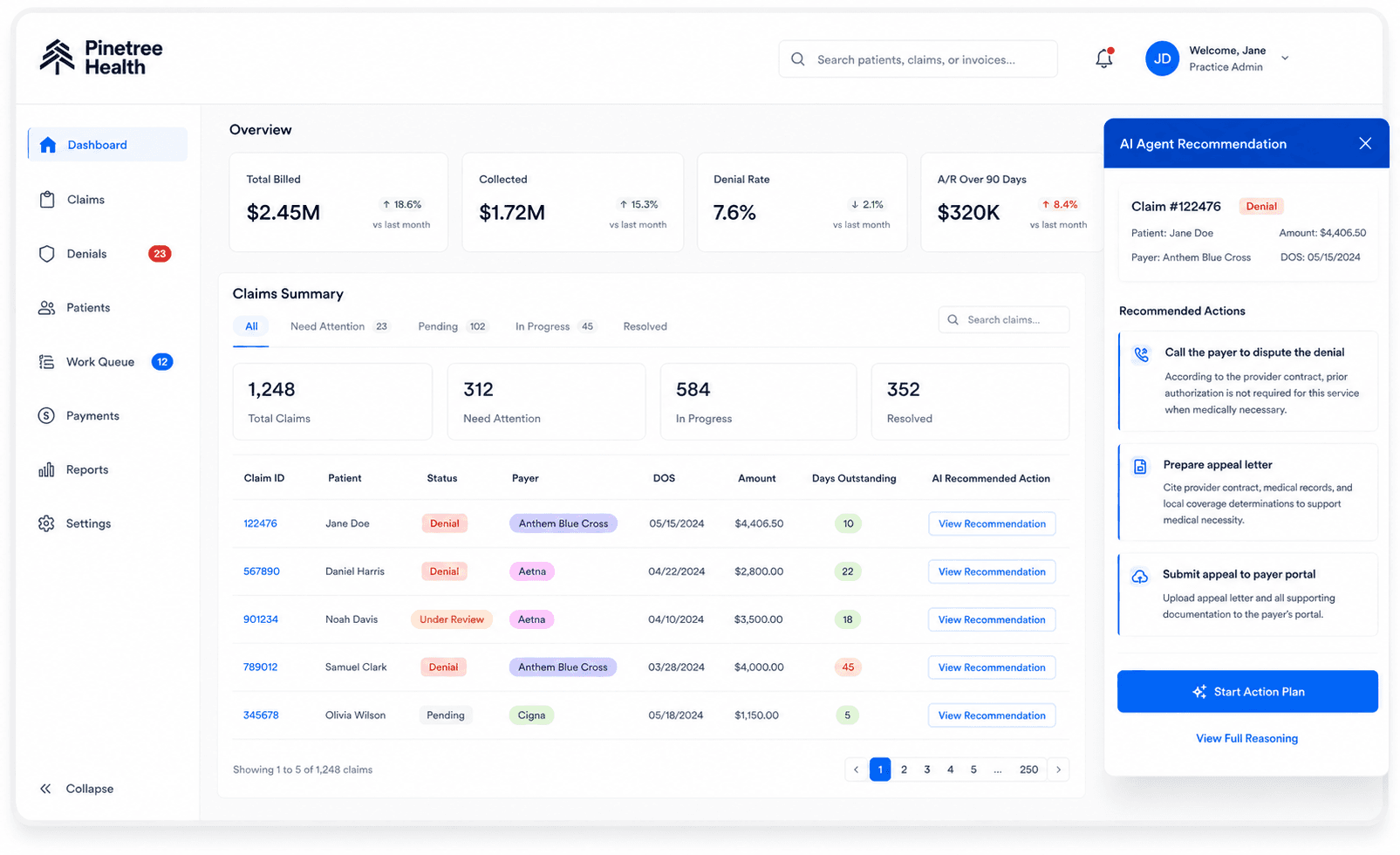
Start by identifying the single most time-consuming, frustrating administrative process in your practice. For many small specialty practices, the revenue cycle is the source of the most intense administrative pain. Solutions like Pinetree Health are designed to tackle this specific challenge, using AI to manage claims and reduce the administrative burden without forcing you to replace your entire system.
By focusing your efforts on your biggest bottleneck, you can make a meaningful difference in your workload, your revenue, and your ability to focus on what truly matters: your patients.